Free counter app for Android

Count
anything.
Automate
everything.

Water, workouts, money, scores: one home for every number. A tally counter, habit tracker and goal tracker that fires webhooks, talks to Home Assistant and Tasker, reads NFC tags and does the math for you.

5.0 on Google Play
10K+downloads
Freeno account needed
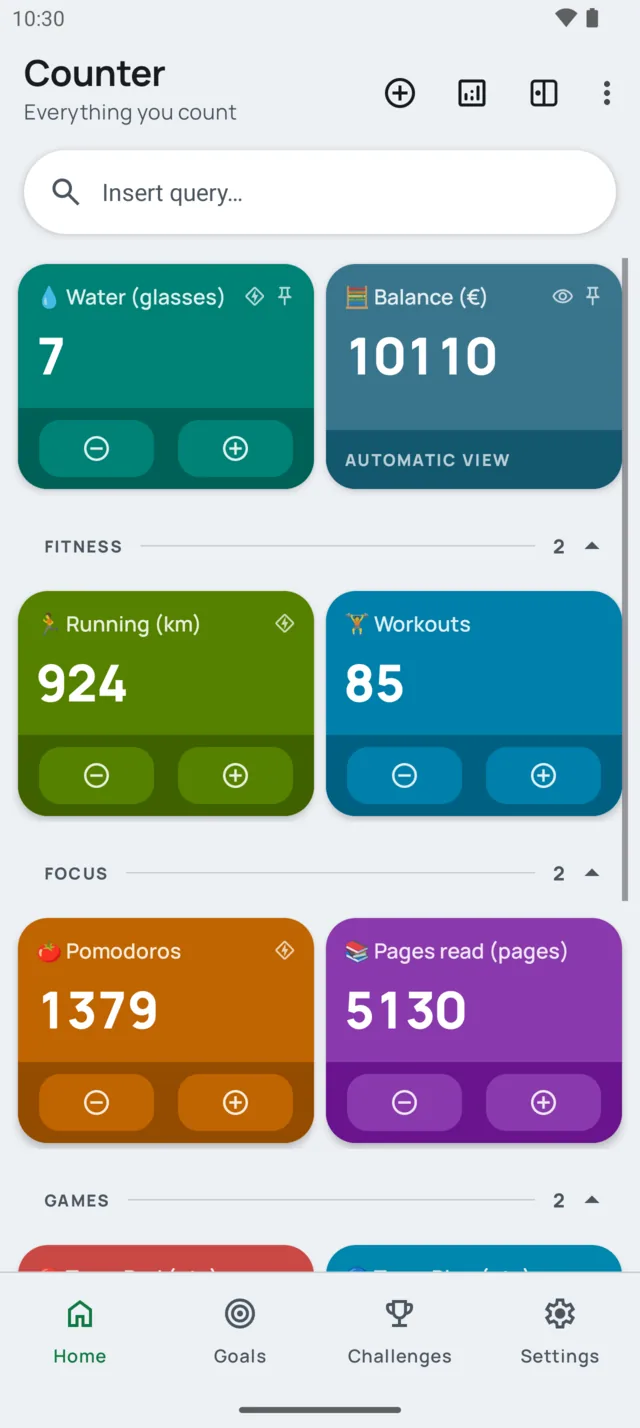
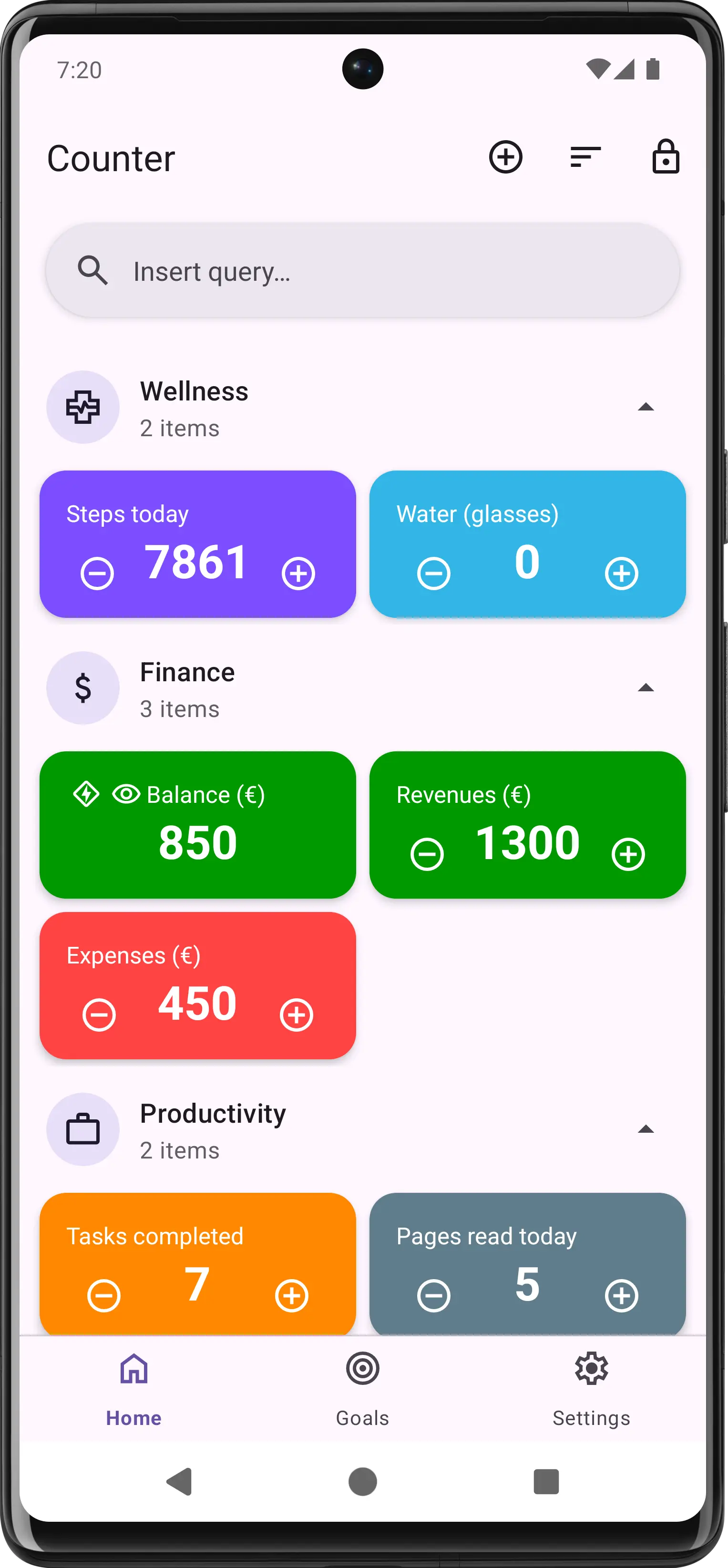
Counter app home screen with colored counter cards for water, balance, running, workouts, pomodoros and pages read, grouped by category
What it does

More than a counter

Everything a tally counter, habit counter and goal tracker should do. Then it keeps going: automations, statistics, widgets, and integrations with your smart home.

01 · AUTOMATE

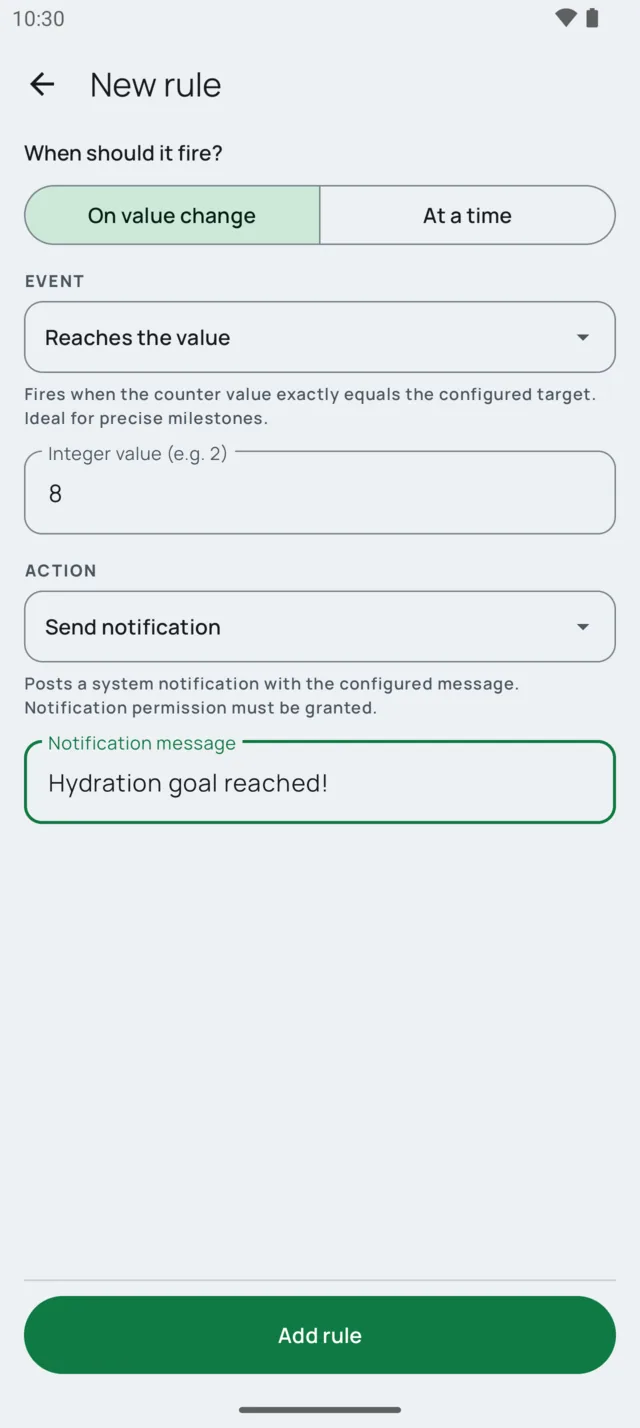
If it reaches 8,
do something

Build if-this-then-that rules with no code. Trigger on a value (reached, above, below, multiple of, even, odd, prime, palindrome, min, max) or on a schedule (every day, weekly, monthly, every N minutes). Then notify, reset, chain counters, message Telegram, fire a webhook or wake up Tasker.

TelegramWebhooksTaskerMacroDroidScheduled
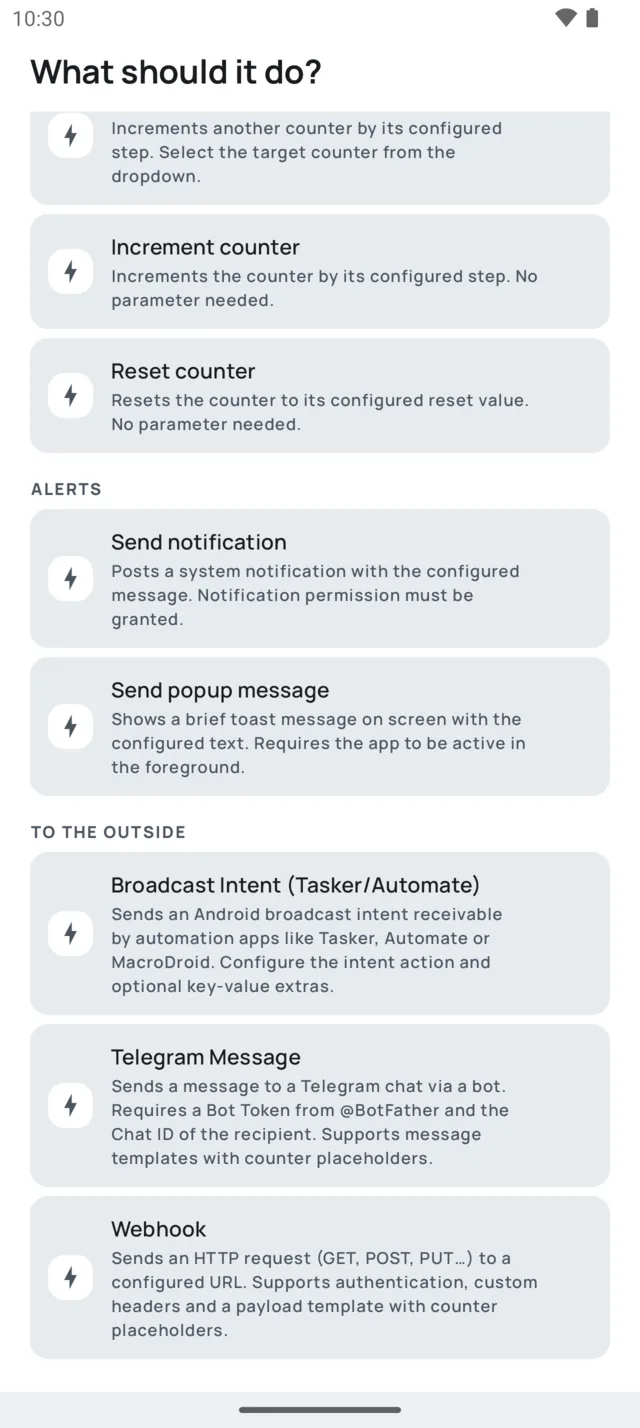
List of available actions in a Counter rule: increment, reset, notification, popup, broadcast intent for Tasker, Telegram message and webhook
New rule screen: when the counter reaches the value 8, send the notification Hydration goal reached
02 · WIDGETS

Don't even
open the app

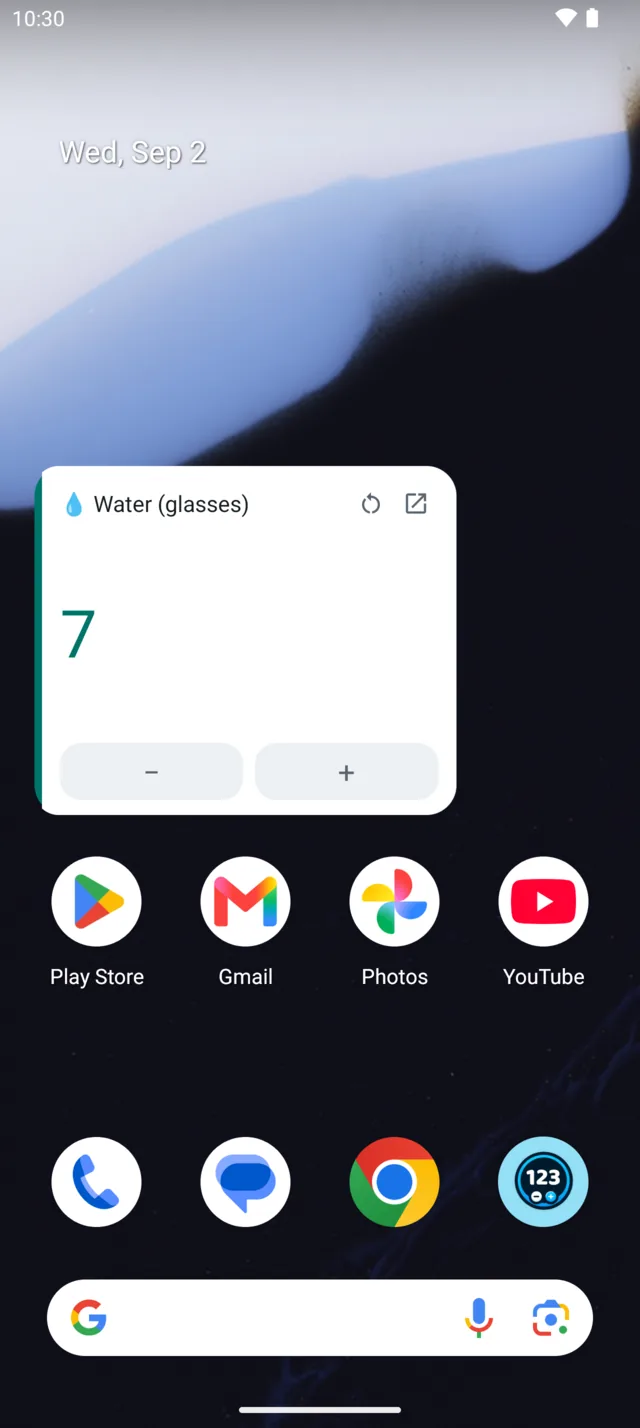
Count straight from a home screen widget. Resize it and the layout adapts: big with plus and minus buttons, small for a quick glance, or a compact 1×1 tile that counts on tap. It follows your system's day and night theme.

ResizablePlus / minus / resetDay & night
Android home screen with a Counter widget showing Water at 7 glasses and minus and plus buttons
03 · TAP

Tap.
And it's counted.

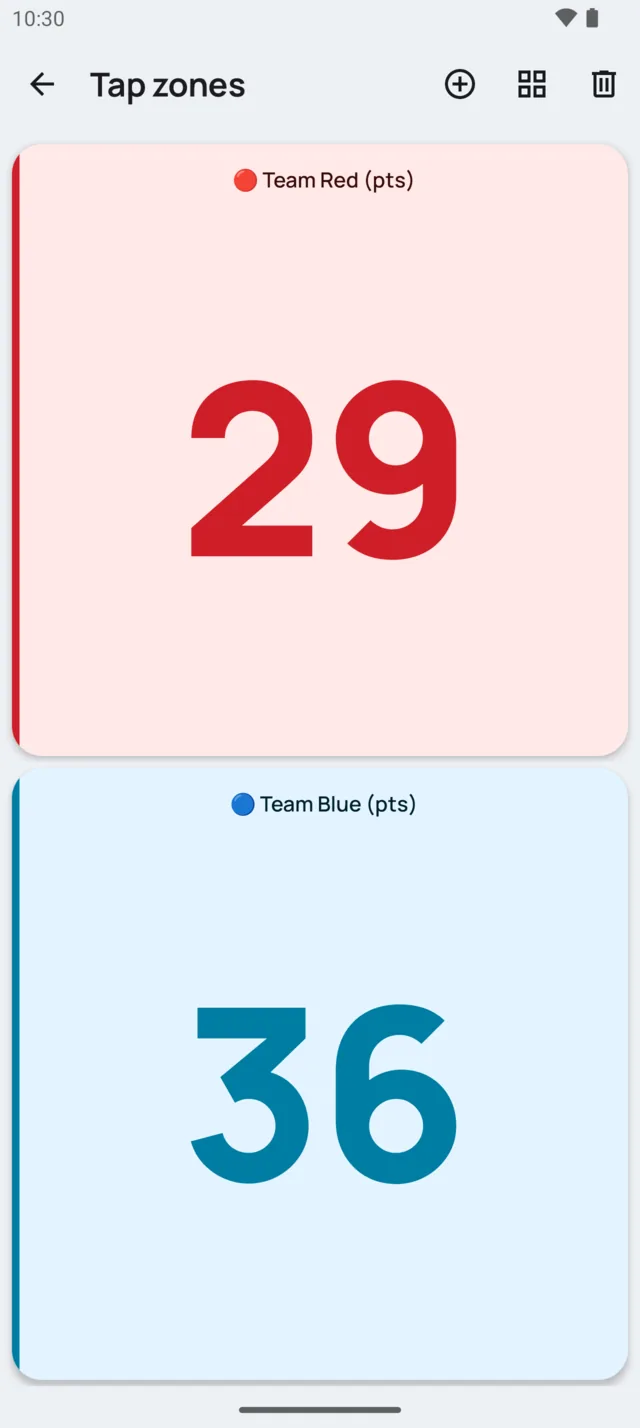
Two ways to count without looking. Tap zones turn the whole screen into one giant button per counter, perfect for scores and reps. NFC tags count with a touch: stick one on your water bottle, your gym bag or the front door.

Tap zonesNFC tagsVolume buttonsFull screen
Tap zones screen with two full-screen areas: Team Red at 29 and Team Blue at 36
04 · PROGRESS

See your
progress

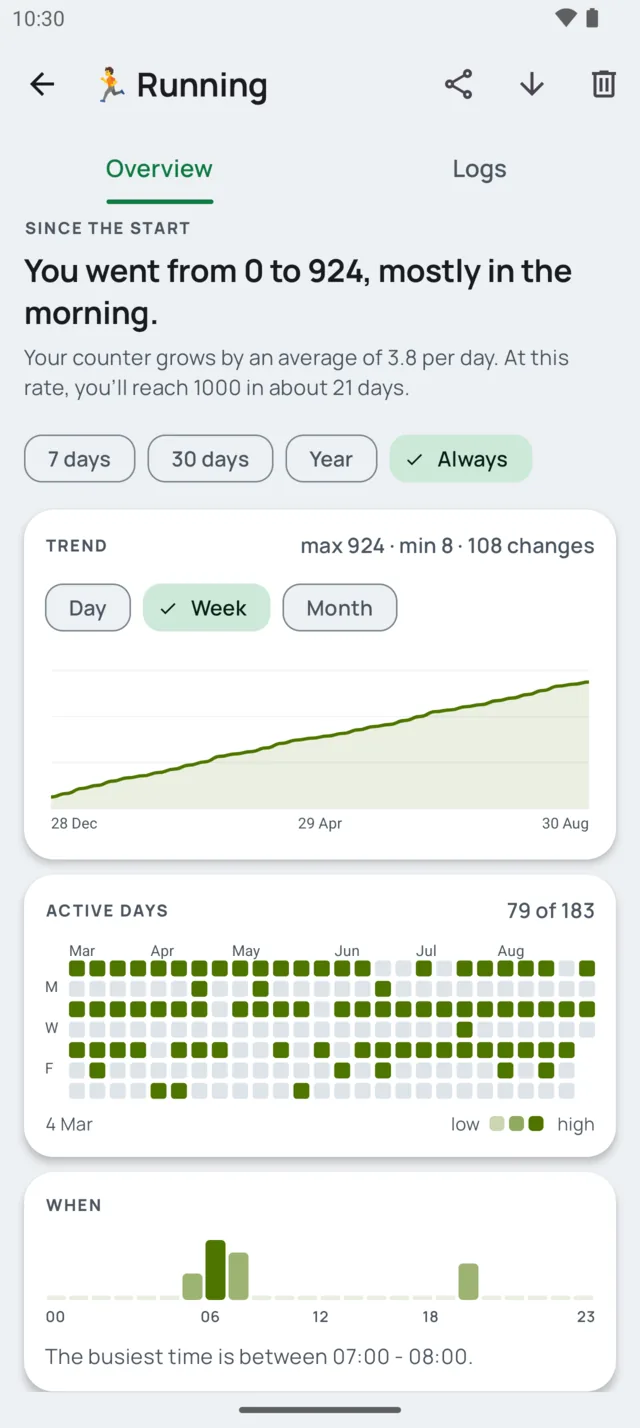
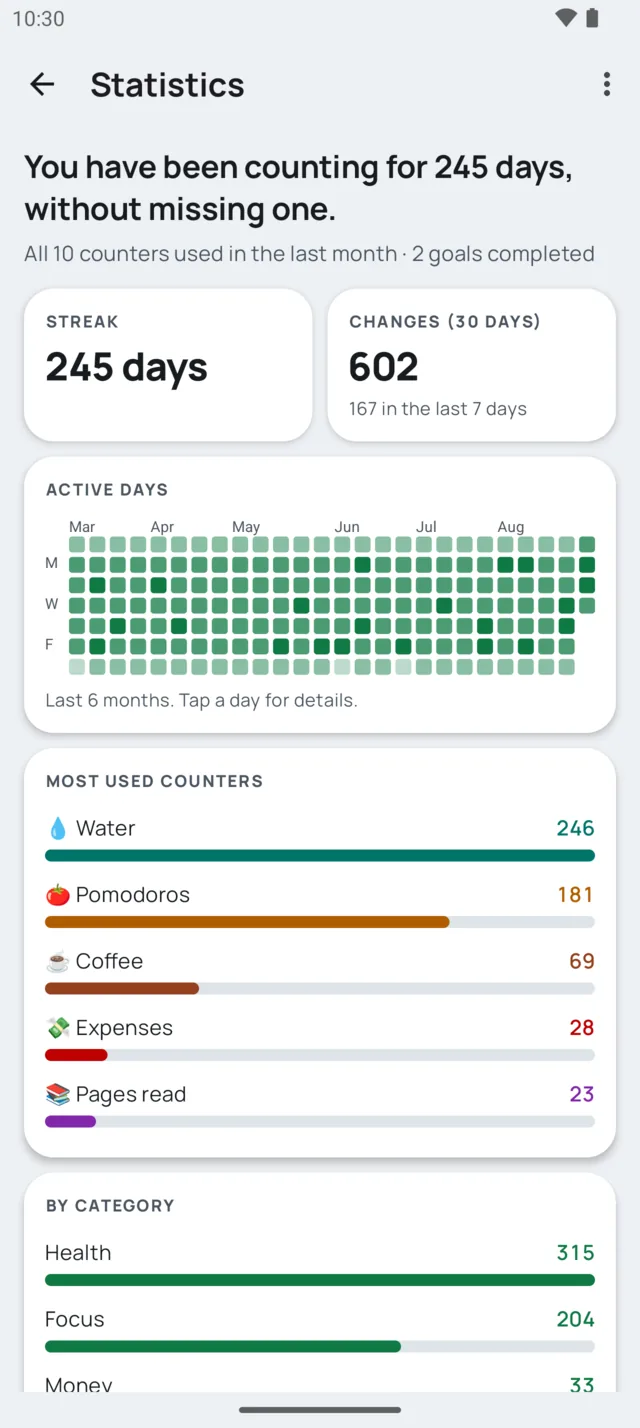
Streaks, heatmaps, trends: your data tells the story in plain words. "You went from 0 to 924, mostly in the morning." Six months of activity at a glance, the busiest hours, most used counters, and a trend you can zoom by day, week or month. Export everything as CSV.

StreaksHeatmapTrendsCSV export
Counter history for Running: you went from 0 to 924 mostly in the morning, with trend chart, active days heatmap and busiest hours
Statistics screen: you have been counting for 245 days without missing one, with streak, activity heatmap and most used counters
05 · GOALS

Set it.
Crush it.

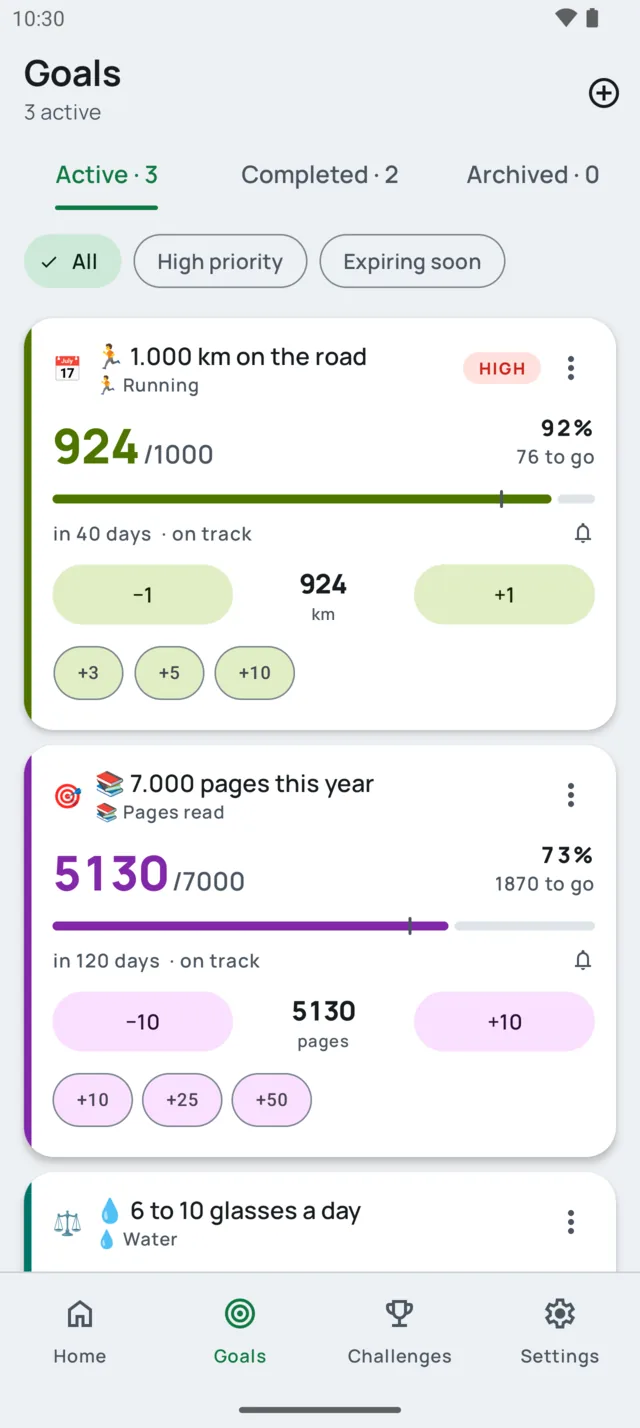
Goals with deadlines, priorities and ranges: reach 1,000 km by a date, stay between 6 and 10 glasses a day, get below a threshold. Each card tells you if you're on track and how much is left, with quick actions right there so you never leave the screen.

DeadlinesPriorityRange goalsQuick actions
Goals screen with three active goals: 1000 km on the road at 92 percent, 7000 pages this year at 73 percent, and 6 to 10 glasses a day
06 · VIEWS

Let your counters
do the math

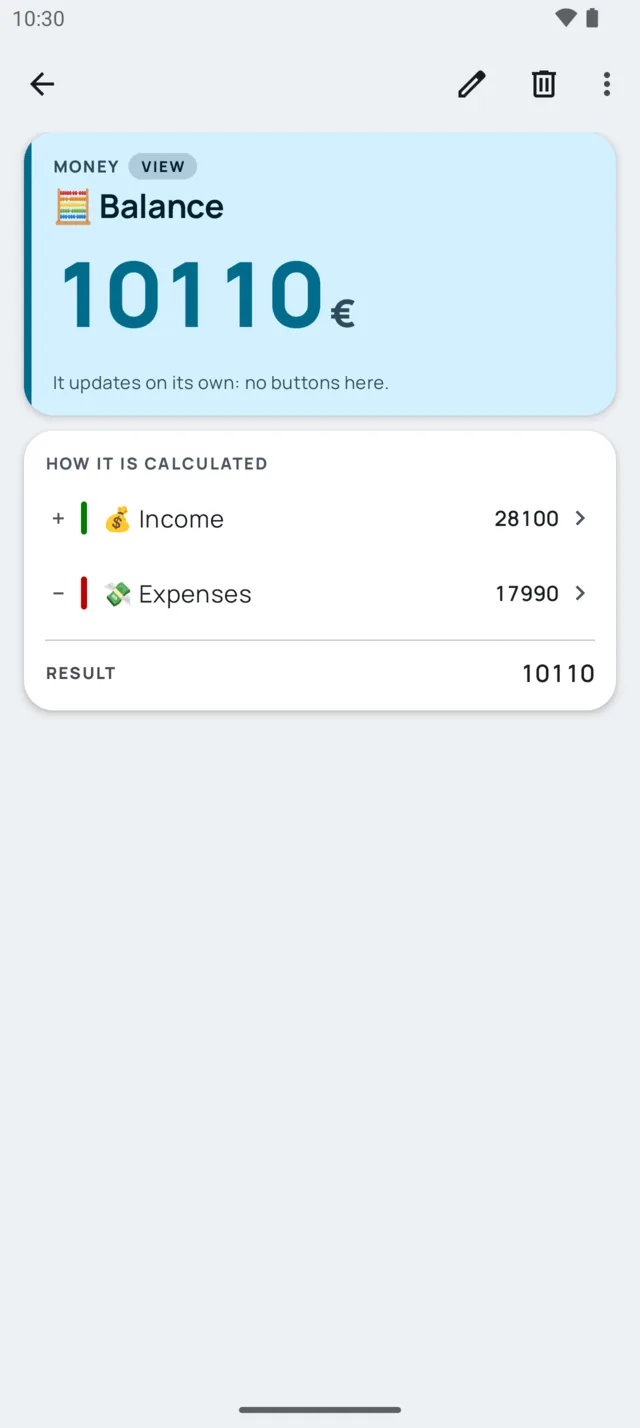
Calculated views are counters built from a formula on other counters. Balance = Income − Expenses. Average of two scores. Double of anything. They update on their own: no buttons, no spreadsheets.

FormulasAlways up to date+ − × ÷ %
Balance view showing 10110 euros, calculated as Income 28100 minus Expenses 17990
07 · CHALLENGES

Race
your friends

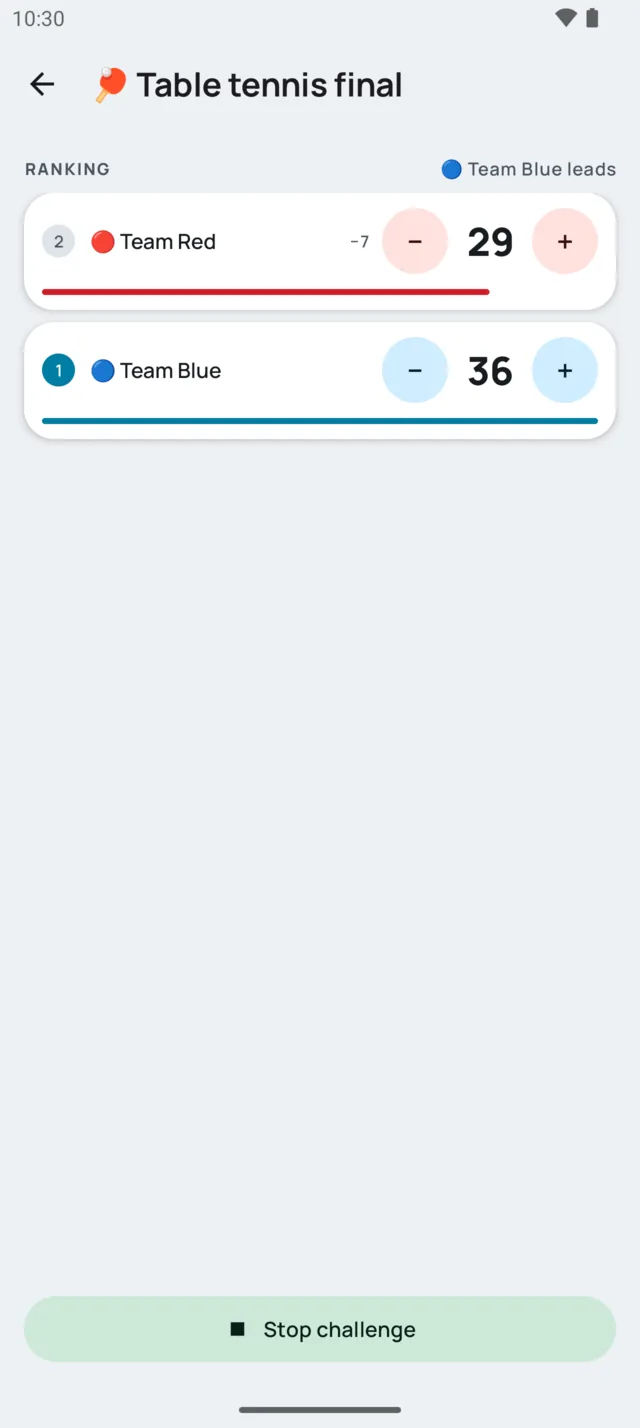
Live challenges between counters, with or without a timer. Pick the counters, hit start, and watch the ranking move in real time. Table tennis finals, push-up battles, who drinks more water this week.

Live rankingTimerReset at start
Challenge play screen for Table tennis final: Team Red 29 versus Team Blue 36, Team Blue leads
08 · STYLE

Make it
yours

Three card styles: Tonal for a calm, neutral home; Soft for a light wash of each counter's color; Vivid for full color. Day and night themes, Material You colors from your wallpaper, list or grid, categories or a flat list. All previewed live before you commit.

VividSoftTonalDay / NightMaterial You
Counter home in the Vivid card style, with full-color counter cards
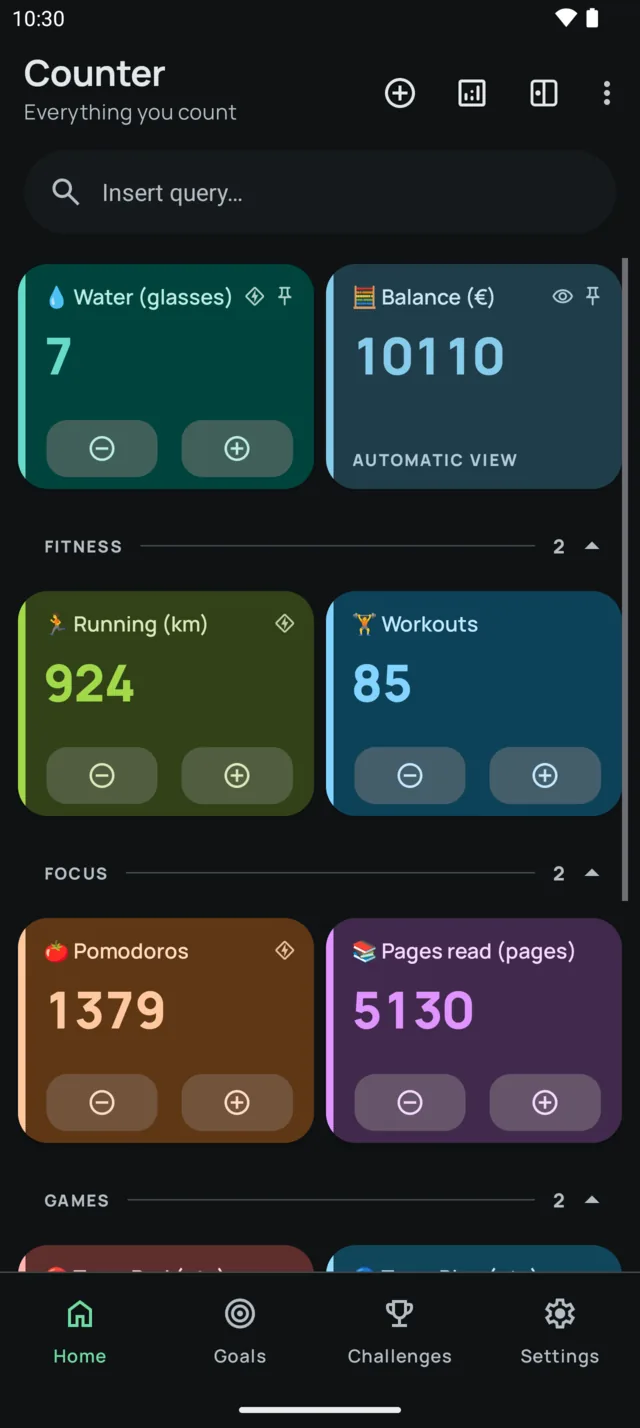
Counter home in the dark theme with the Soft card style
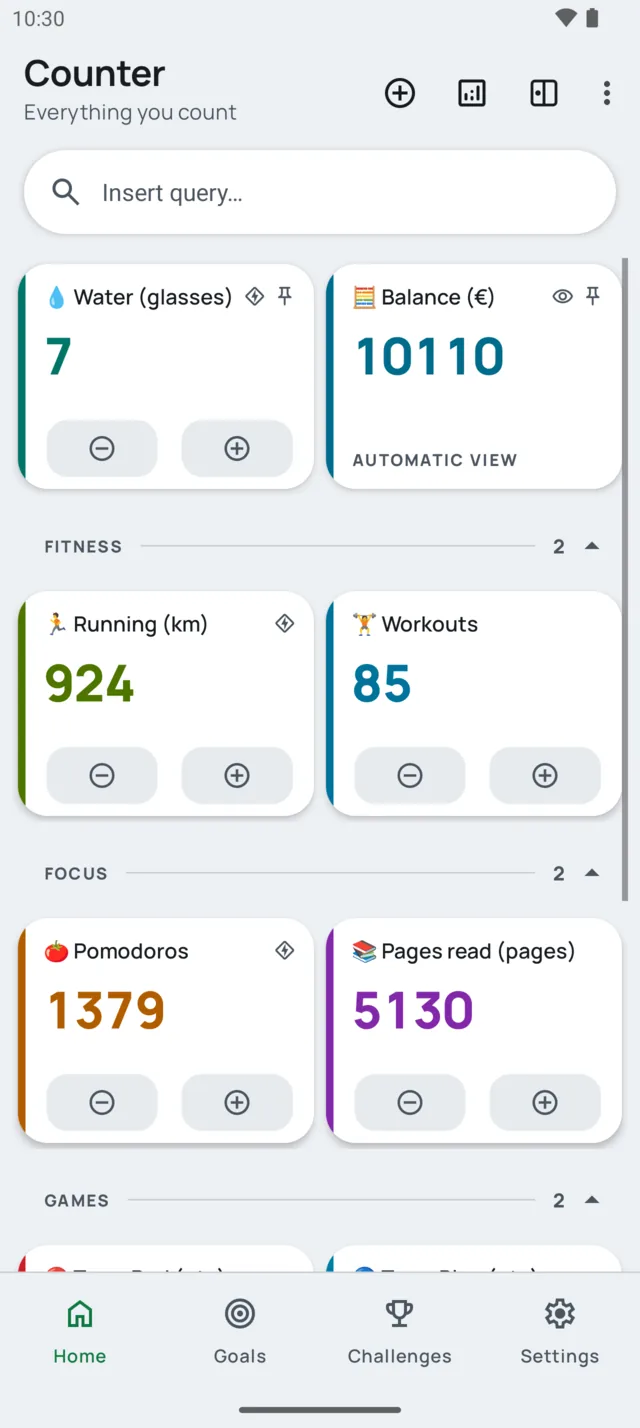
Counter home in the Tonal card style, with neutral cards and a colored accent bar
Integrations

Connect everything

Your counters don't live in isolation. They talk to your smart home, your automation apps, your web services, and physical NFC tags.

Webhooks

Fire HTTP requests (GET, POST, PUT, PATCH, DELETE) with custom headers, authentication, JSON payloads and template variables. Connect to Home Assistant, Google Sheets, Zapier, Make, or any REST API.

Home AssistantGoogle SheetsZapierAny REST API
Read the Home Assistant guide →

Broadcast intents

Send Android broadcast intents that Tasker, Automate and MacroDroid can catch, and let them control your counters in return. Turn any count into a trigger for phone automations: Bluetooth, SMS, apps, Do Not Disturb.

TaskerAutomateMacroDroidBoth directions
Read the Tasker & Automate guide →

NFC tags

Write counter actions to physical NFC tags. Tap your phone on a sticker to increment, decrement or reset a counter, no app opening needed. Stick them on your water bottle, gym bag, or front door.

NDEF writeTap to countZero setup
Read the NFC tags guide →

Telegram

Send automatic messages to any Telegram chat when a counter event fires. Custom message templates with dynamic variables like counter value, title, unit and timestamp.

Bot APITemplatesReal-time
Read the Telegram guide →
And there's more

Built different

The details that make Counter the one you keep.

🚀

A home that's not empty

Pick what you want to count on first launch and Counter creates it for you, rule included.

Quick actions

+3, +5, +10, −20: your own shortcuts on the detail screen and on every goal card.

🗂️

Categories, pins, search

Group by category or keep a flat list. Pin favorites on top, sort, and find any counter instantly.

📝

Notes on every change

Every change is logged with time, delta and source. Attach a note and search through them later.

🔒

Private counters

Lock sensitive counters behind a PIN or your fingerprint. They never leave your device, not even in cloud backups.

☁️

Backed up automatically

Android Backup keeps an encrypted copy in your own Google account. Export a full JSON backup any time.

📳

Feel every tap

Sound, vibration or a voice that reads the value out loud. Count with the volume buttons, keep the screen on.

🌍

Eight languages

English, Italian, German, Spanish, French, Portuguese, Russian and Chinese. No account, no sign-up.

Use cases

What can you count?

From daily habits to your smart home: if you can count it, Counter can track, chart, and automate it.

💧

Track water intake

Log your daily water intake with one tap (or an NFC tag on your bottle) and hit your hydration goal.

🏋️

Count gym reps & workouts

A tally counter for the gym: count reps, sets and sessions, then track streaks and weekly trends.

💸

Track expenses & budget

Track expenses and income, and let a calculated view do the math: Balance = Income − Expenses.

📚

Log study sessions

Count study sessions or Pomodoros, set a daily goal, and keep your focus streak alive.

🚭

Quit smoking

Track cigarettes per day and build a quit-smoking streak with clear stats and reminders.

Habit tracker

Use Counter as a habit counter and habit tracker with goals, deadlines and progress charts.

📦

Count inventory & stock

Track inventory or stock levels and fire a webhook automatically when you hit a threshold.

🏓

Keep the score

Tap zones for table tennis, darts, board games. Two giant buttons, no looking at the phone.

Start counting

Free download. No account required. Unlimited counters.