01
Organized at a glance
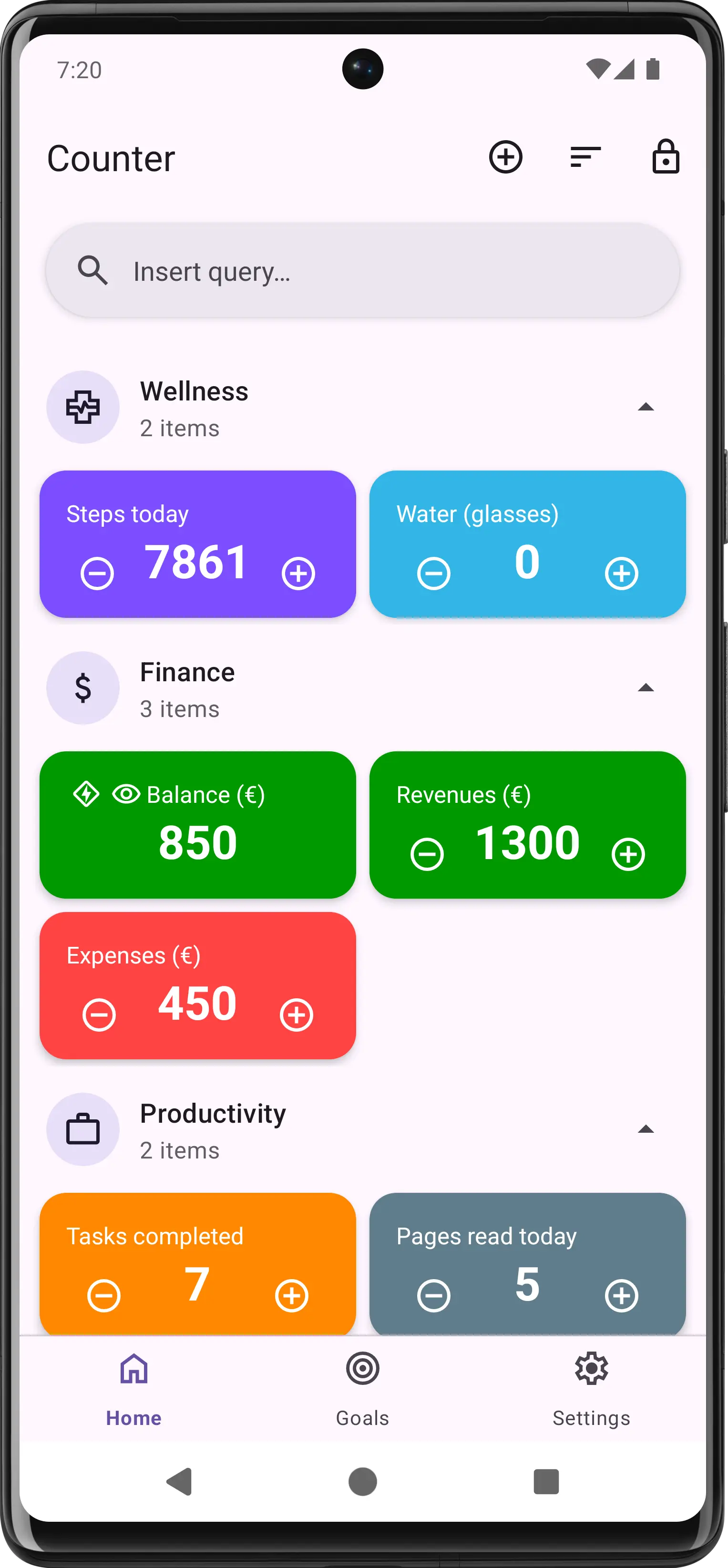
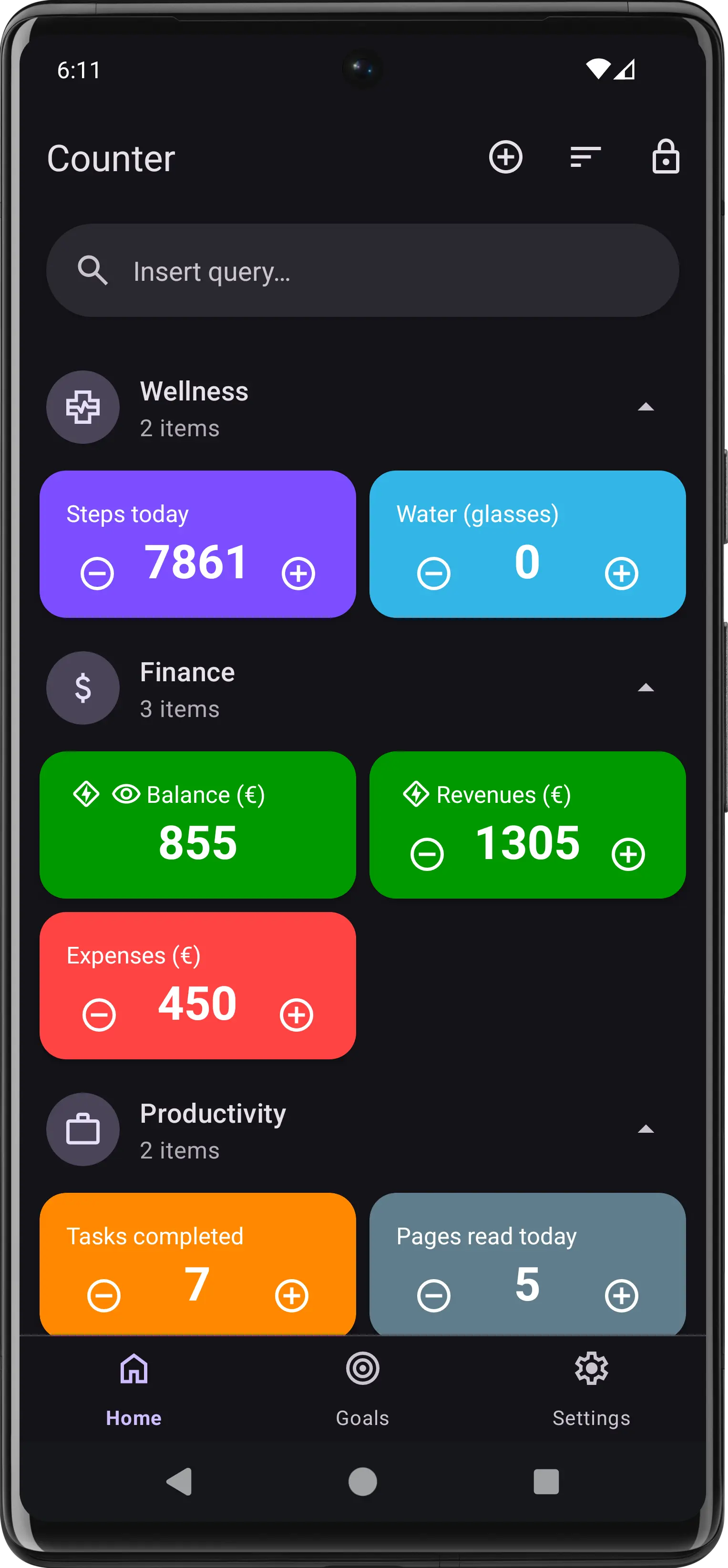
Your counters, beautifully organized by category with color-coded cards. Increment or decrement directly from the home screen — no extra taps needed.
The free Android counter app that connects to your smart home, triggers webhooks, reads NFC tags, and runs automations. Track habits, finances, and anything you can count.
Powerful features designed to help you track, analyze, and automate anything you can count.
Your counters, beautifully organized by category with color-coded cards. Increment or decrement directly from the home screen — no extra taps needed.
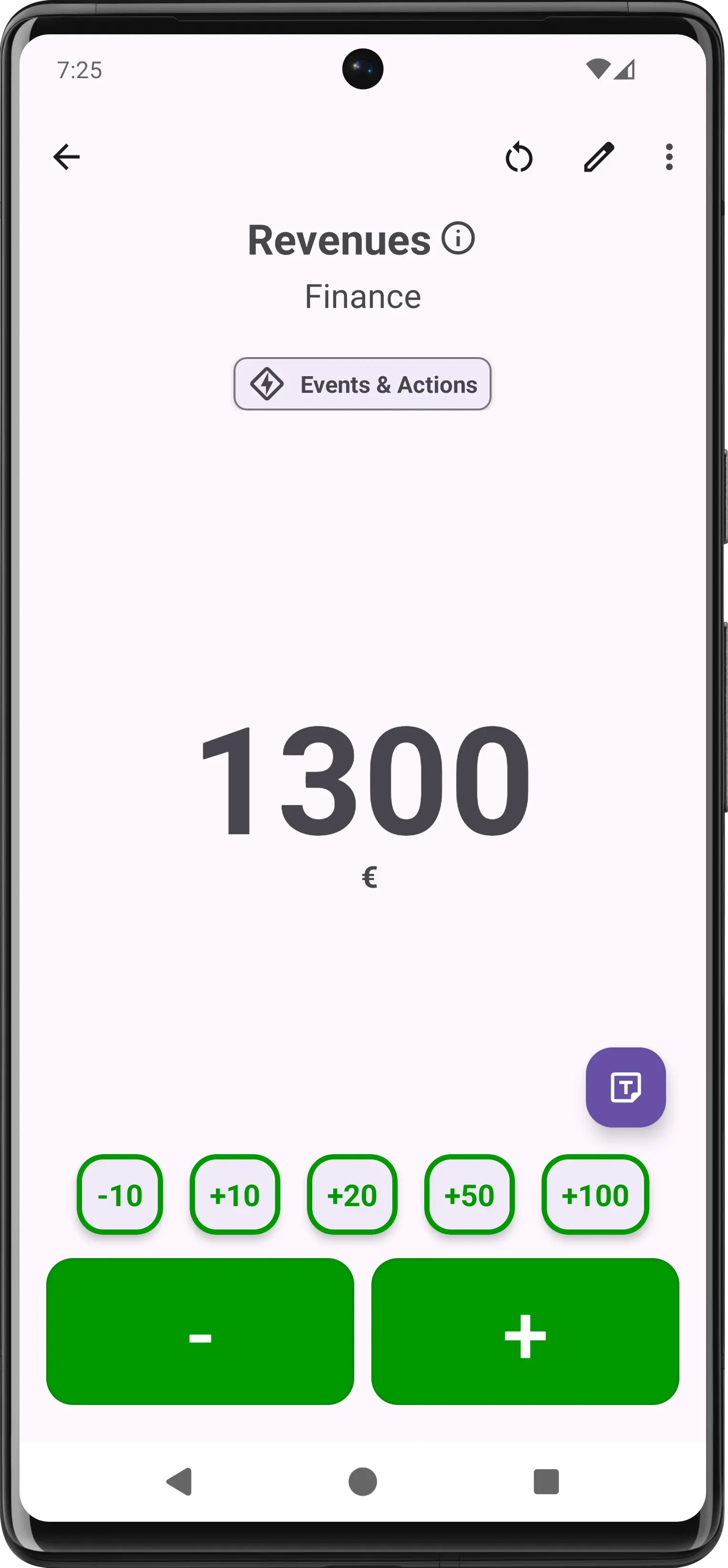
A dedicated detail screen with large display, quick-action buttons for common increments, and a custom keyboard for precise value entry.
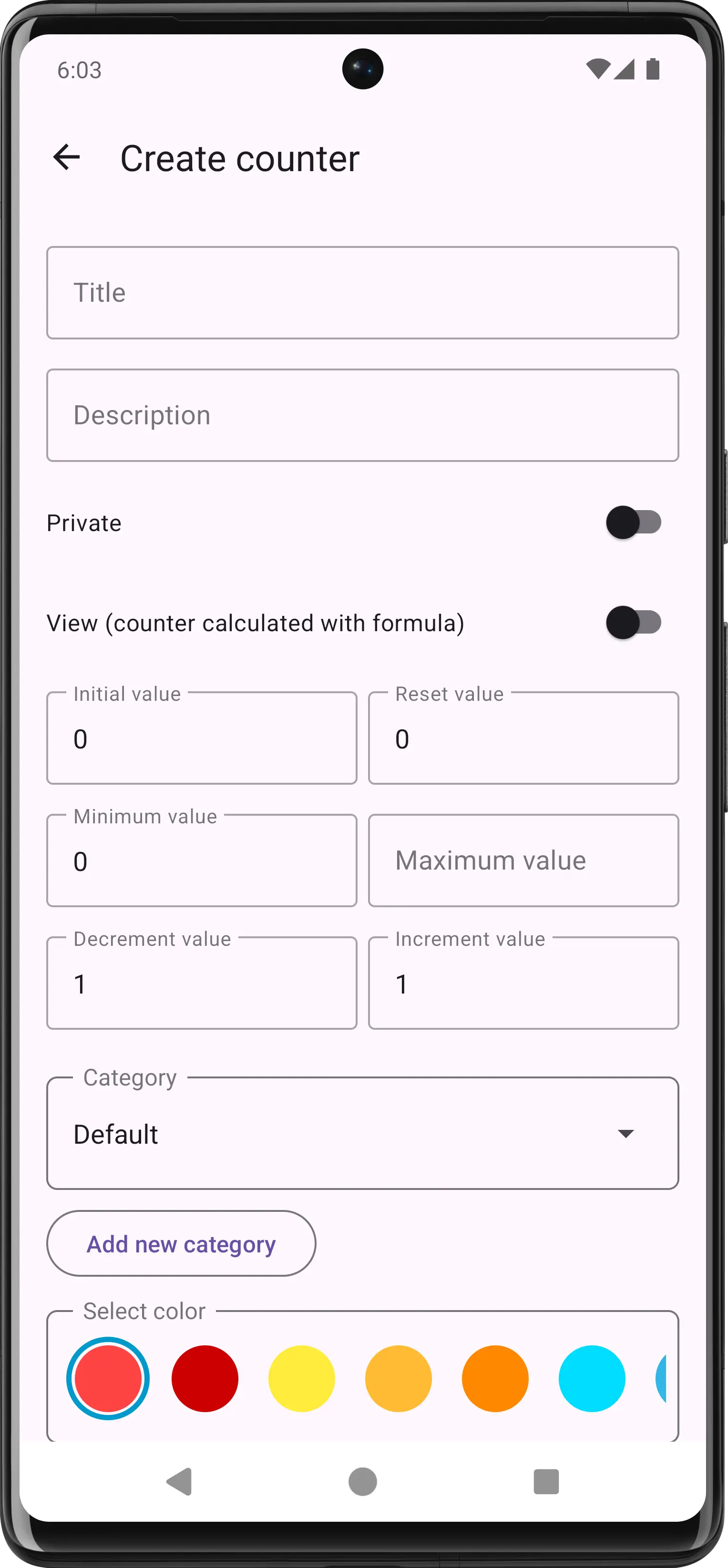
Set initial values, boundaries, step size, colors, categories, automated actions event based, and even define calculated "view" counters powered by algebraic formulas.
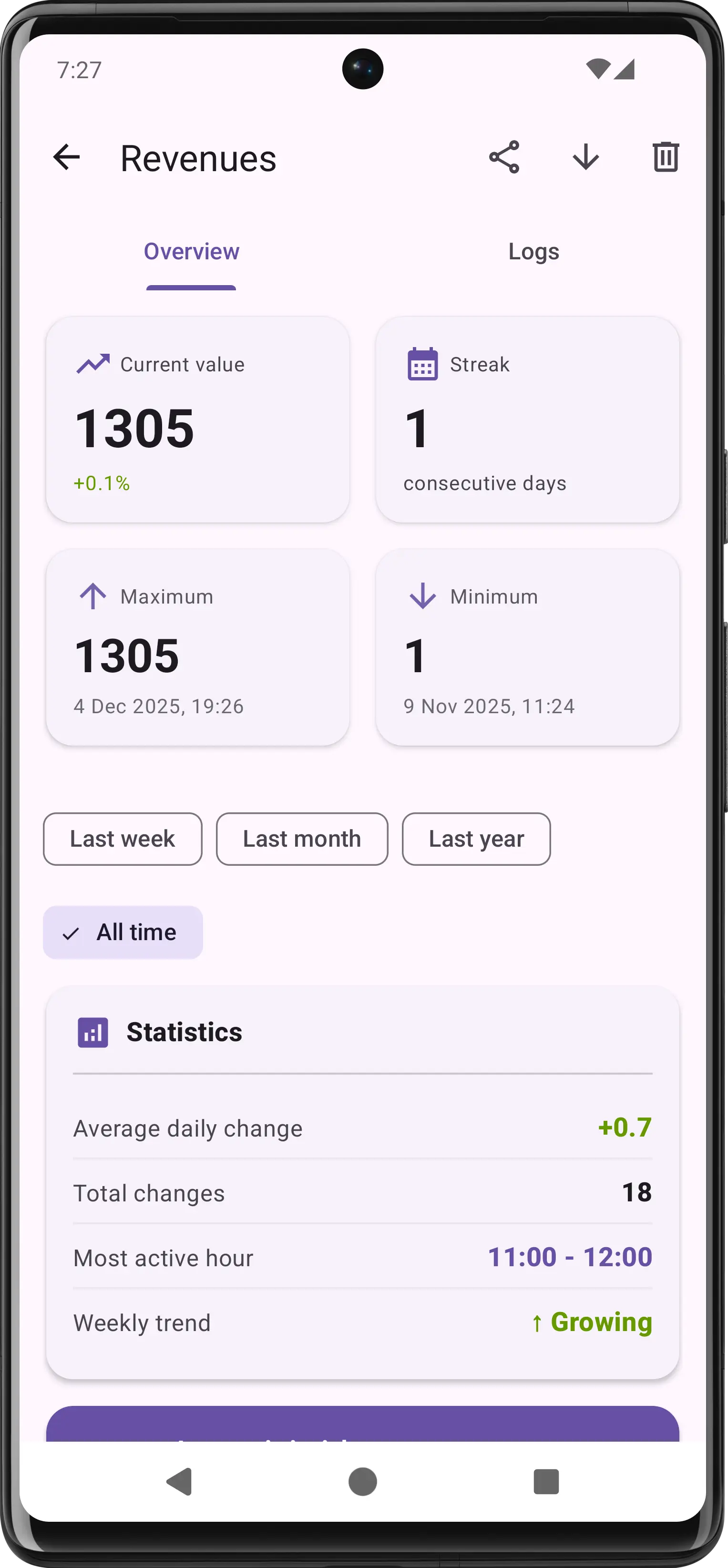
Track streaks, averages, trends, and peak hours. Filter by time range and visualize your data with interactive charts and detailed logs.
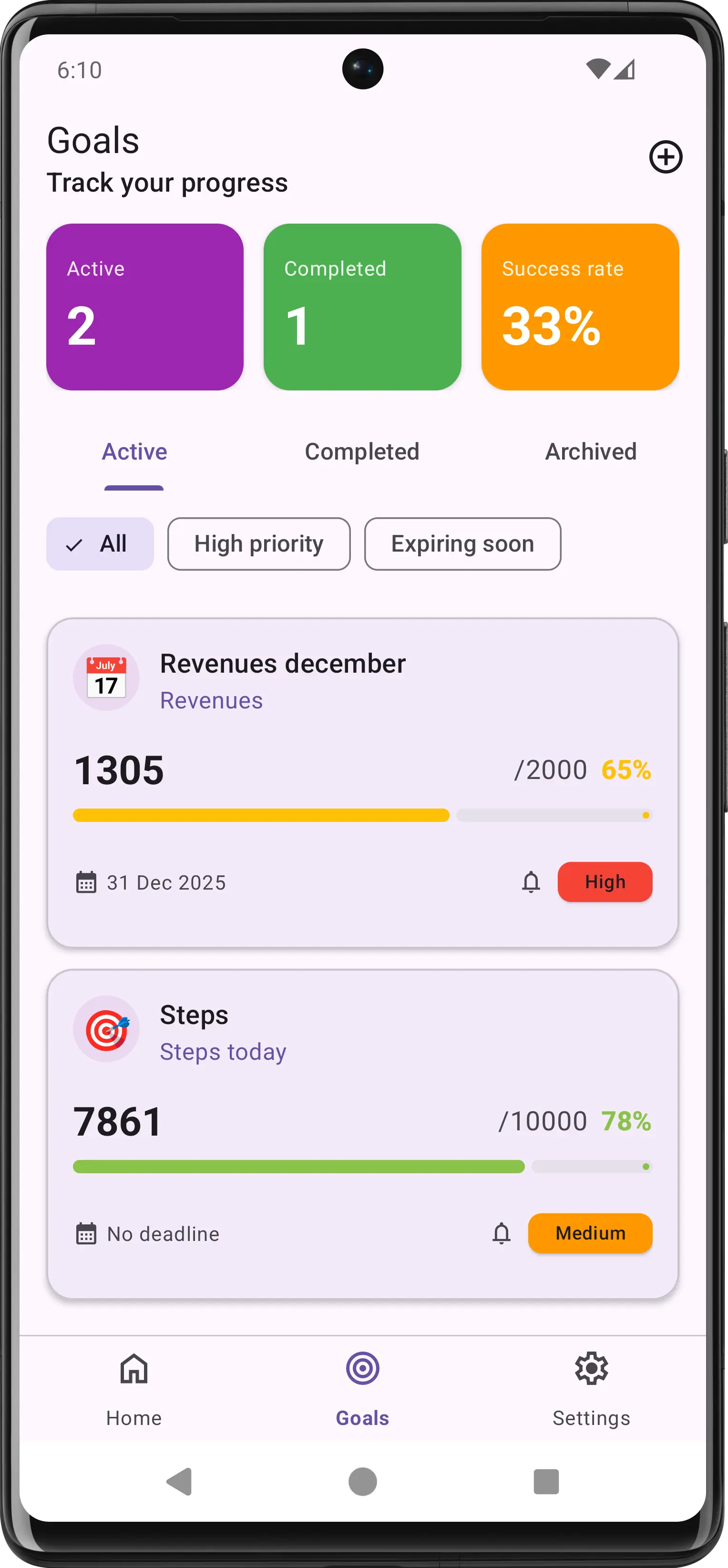
Define targets for any counter with deadlines and priority levels. Visual progress bars and a dashboard keep you motivated and on track.
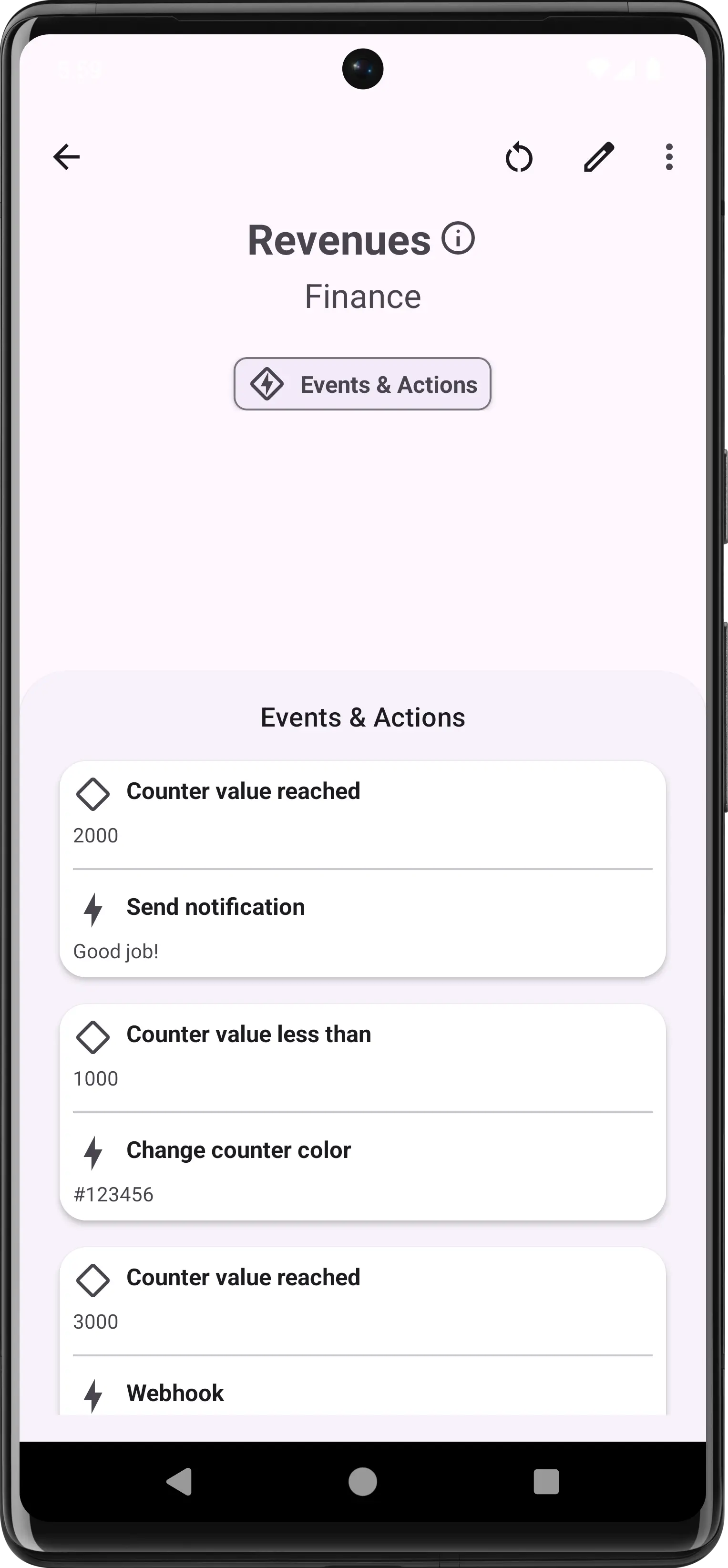
Set up "if this, then that" rules with 12 trigger types and 12 action types. When a counter reaches a value, fire a webhook to Home Assistant, send a broadcast intent to Tasker or Automate, push a Telegram message, modify other counters, change colors — all automatically, with no code.
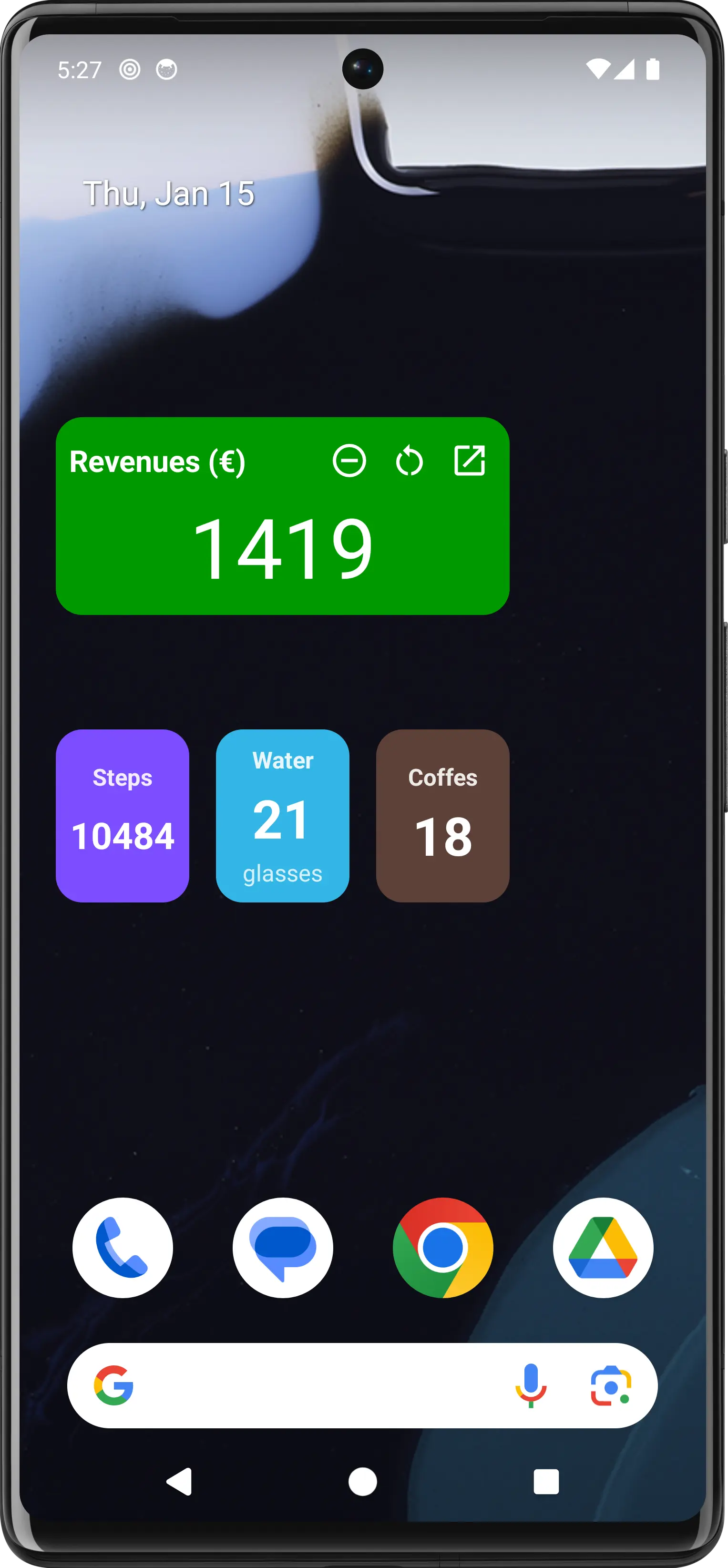
Beautiful home screen widgets in multiple sizes let you see and update your counters without even opening the app. Color-matched to your counters.
Your counters don't live in isolation. They talk to your smart home, your automation apps, your web services, and even physical NFC tags.
Fire HTTP requests (GET, POST, PUT, PATCH, DELETE) with custom headers, authentication, JSON payloads, and template variables. Connect to Home Assistant, Google Sheets, Zapier, Make, or any REST API.
Send Android broadcast intents that Tasker, Automate, and MacroDroid can catch. Turn your counters into triggers for any phone automation — control Bluetooth, send SMS, launch apps, and more.
Write counter actions to physical NFC tags. Tap your phone on a sticker to increment, decrement, or reset a counter — no app opening needed. Stick them on your water bottle, gym bag, or front door.
Send automatic messages to any Telegram chat when a counter event fires. Custom message templates with dynamic variables like counter value, title, and timestamp.
Not just another counter app. Here's what sets Counter apart from the rest.
Create counters that are the result of algebraic expressions combining other counters. Balance = Revenues - Expenses? Done.
Automate workflows: trigger webhooks, notifications, color changes, and more when counters reach specific conditions.
Set targets with deadlines, priority levels, and track progress with visual indicators and success rate analytics.
Stick NFC tags around your house, gym, or office. Tap to instantly update counters — no app opening required.
Detailed analytics with charts, streaks, trends, averages, and hourly activity patterns for every counter.
Fire webhooks to Home Assistant, send intents to Tasker, or call any REST API. Your counters become smart home triggers.
Full dark theme support that's easy on the eyes. Automatically adapts to your system preferences.
Lock sensitive counters behind app-level protection. Your data stays your data, always.
A carefully crafted dark theme that looks gorgeous and saves battery. Every element is designed for perfect contrast and readability.
Free download. No account required. Unlimited counters.